Campaign production for retail

    Retail campaign production

    Version retail campaigns across products, prices, regions and formats. Keep master creative consistent while reviewing each offer before delivery.

    Product variationsPrice differencesRegion versionsFormat ready to review

    One campaign, a whole changing shop floor.

    Version retail campaigns across products, prices, regions and formats. Keep master creative consistent while reviewing each offer before delivery.

    Built for the versions behind every promotion
    Production focus 01

    One promotion, many product and price versions

    A retail campaign rarely ends with one ad. Weekly promotions, seasonal ranges and regional offers each need the right product image, price, dates and store message. Neosframe helps marketing and production teams turn master creative into campaign versions, rather than rebuilding each execution from scratch.

    Production focus 02

    Build the range from approved creative

    Start with your master design, product assets and a brief that identifies which offers belong in each version. Use campaign versioning to adapt the creative across products, regions and channel formats. Review the resulting assets with your team before delivery, checking that the pictured item, advertised price and offer conditions agree.

    Production focus 03

    Handle changes without losing the offer details

    When a price changes or an item becomes unavailable, identify the affected versions and put the revised creative through review again. Confirm sale dates, exclusions and regional availability against your own source information. Neosframe supports the production workflow; it does not replace stock checks or your team's responsibility for accurate advertising.
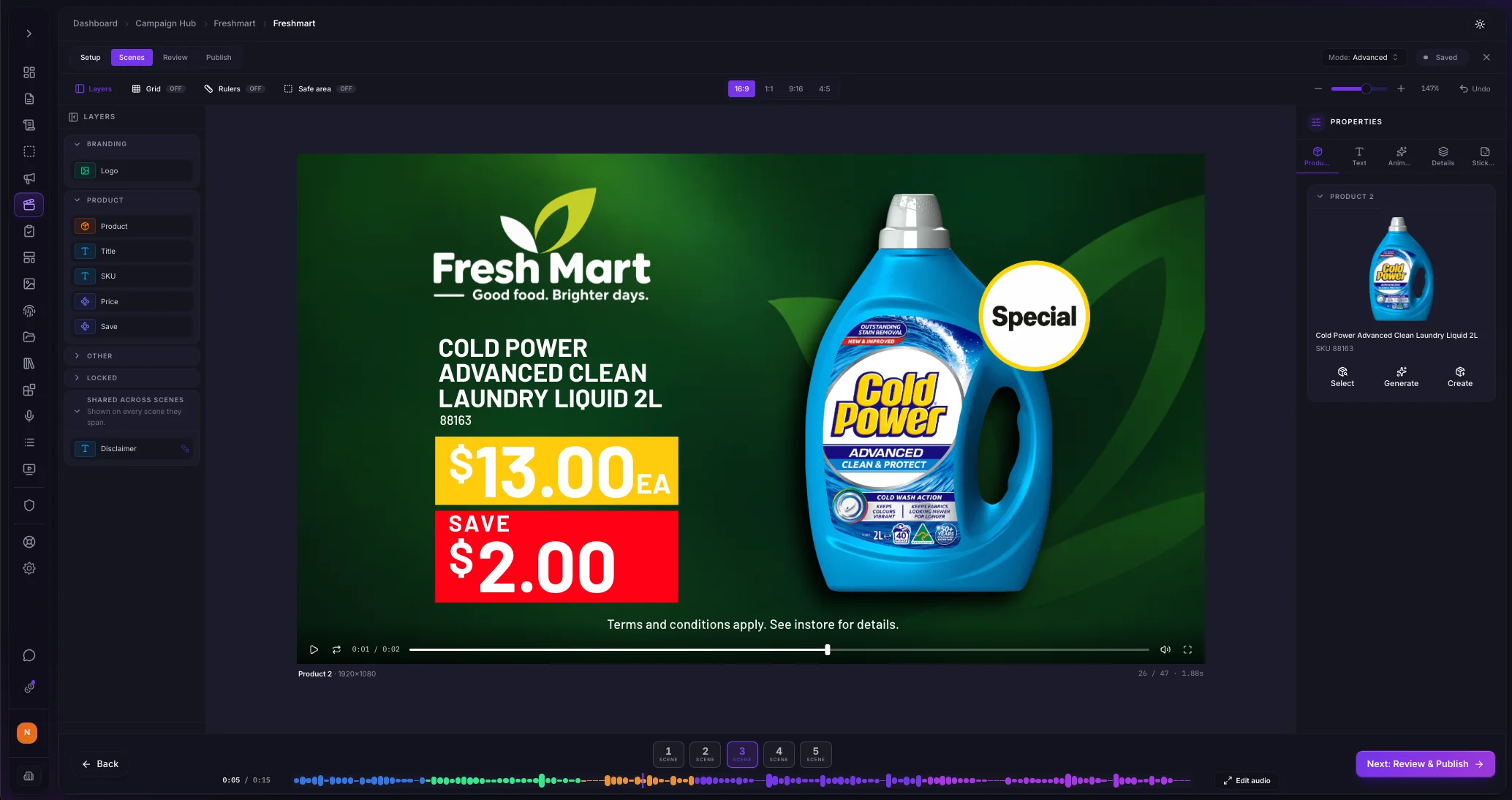
    Inside the platform

    See the work as a connected campaign.

    An example of Neosframe’s production workspace: campaign briefs, approved creative and the versions your team needs to review.

    Neosframe retail campaign production workspace showing a master creative and its product versions
    Neosframe campaign workspaceProduct interface · campaign production and review

    A closer look

    See each version in context, with your team in the loop.

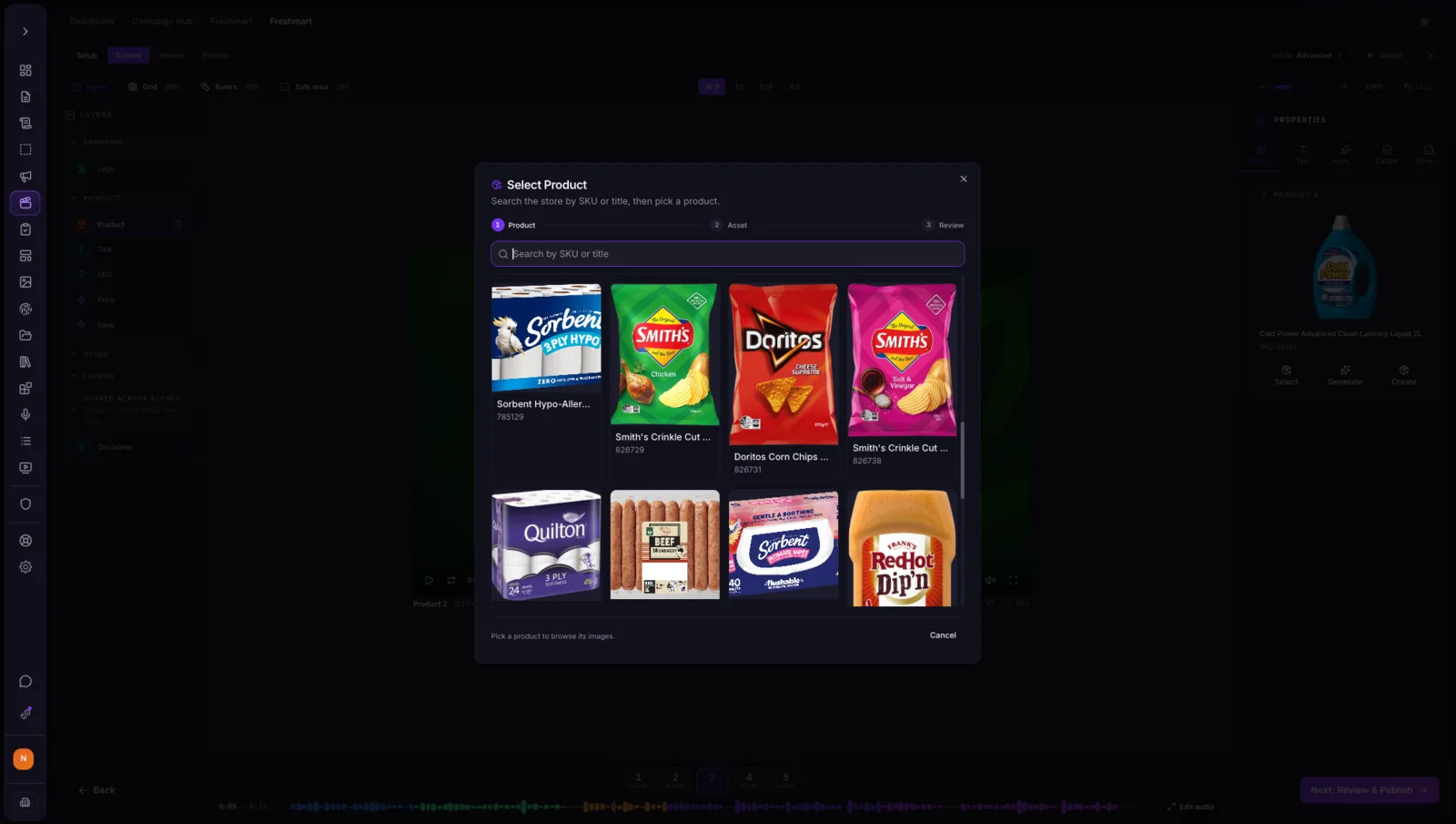
    Organize the campaign detail that changes, prepare the executions your brief calls for, then give reviewers a clear place to check the work.

    Neosframe product selection screen used to organize campaign product variants

    A platform walkthrough

    Watch the production experience take shape.

    See the Neosframe production workflow in motion. This shared platform demonstration is not an industry-specific customer campaign.

    Neosframe platform demonstrationMaster creative, campaign versions and human review

    From master to market

    A production flow made for human review.

    Neosframe helps campaign teams carry approved creative into the versions they need without losing sight of the decisions that still belong with people.

    01

    Start with the master

    Bring the creative, campaign brief and source details that define the work.

    02

    Map what changes

    Set out the product, price, region, format differences that each execution needs.

    03

    Prepare campaign versions

    Adapt the master creative to the versions and formats in scope for your campaign.

    04

    Review together

    Have the responsible people check each version before it is handed over.

    Good to know

    Questions, answered.

    Practical details for planning a campaign production workflow.

    Can we use the same campaign creative for different retail regions?

    Yes. Campaign versioning can adapt master creative for regional offers and formats. Supply the correct regional details in the brief and check each output before release.

    Will Neosframe automatically update ads when stock or prices change?

    We can handle custom integrations and workflows. Please talk to us about your requirements, and we'll work with you to find the best way forward.

    What should we prepare for a retail production brief?

    Bring the master creative, product imagery, offer and price details, campaign dates, regional differences and required formats. Identify who will approve product accuracy and offer conditions.

    Your campaign, made easier to produce

    Bring the master. Talk through the versions.

    Share how your campaign team works today and explore whether Neosframe fits the production workflow you need.