Campaign production for qsr

    QSR campaign production

    Adapt quick-service restaurant campaigns for meal offers, dayparts and locations, with consistent creative and review before delivery.

    Meal variationsDaypart differencesLocation versionsFormat ready to review

    The offer changes. The campaign stays together.

    Adapt quick-service restaurant campaigns for meal offers, dayparts and locations, with consistent creative and review before delivery.

    Clear versions for meals, dayparts and stores
    Production focus 01

    Make each meal offer clear in every version

    Quick-service restaurant campaigns need to distinguish breakfast from lunch, a bundle from a single item, and a national promotion from a participating-store offer. A change to a meal image or price can affect several formats at once. Neosframe helps teams version campaign creative around those differences while retaining the master design.

    Production focus 02

    Brief by offer, daypart and participating location

    Begin with approved food imagery and a brief that maps each meal offer to its price, campaign dates, daypart and location group. Produce the required campaign versions from master creative, then review the item names, bundle inclusions and local conditions. Prepare the formats your media plan requires without treating every version as a separate creative concept.

    Production focus 03

    Review availability and conditions before handover

    Before delivery, confirm that the advertised meal, portion depiction, price and time restrictions match the offer your restaurants can fulfil. Route revised offers through your team's review process. Production versioning does not confirm restaurant stock, schedule menu changes or establish that an offer is suitable for every audience or placement.
    Inside the platform

    From the master, into the menu mix.

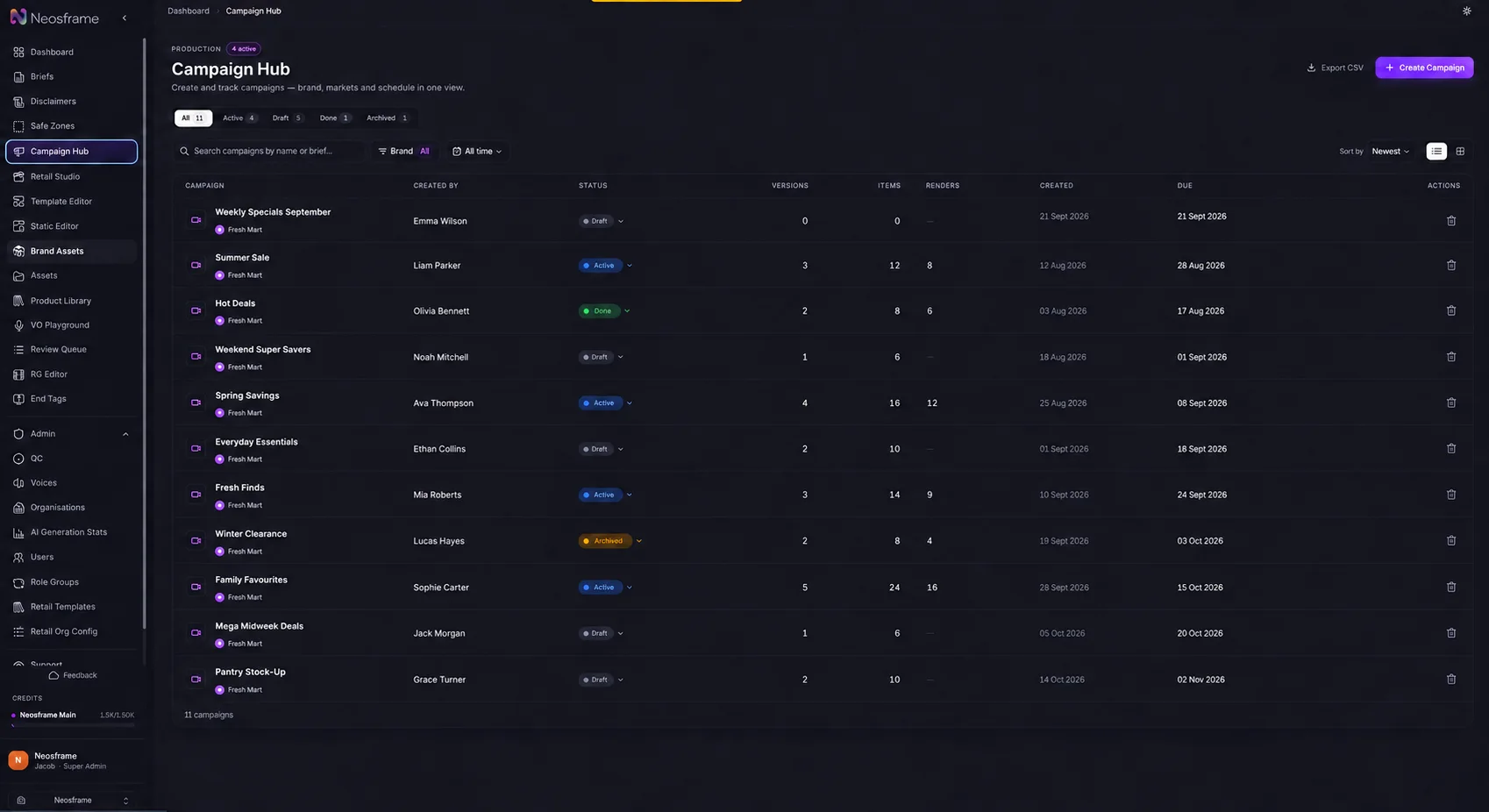
    A generic view of the Neosframe production workspace, showing how a campaign’s creative and variations can be reviewed together.

    Neosframe campaign workspace with a campaign list and production status
    Neosframe campaign workspaceProduct interface · campaign production and review

    A closer look

    See each version in context, with your team in the loop.

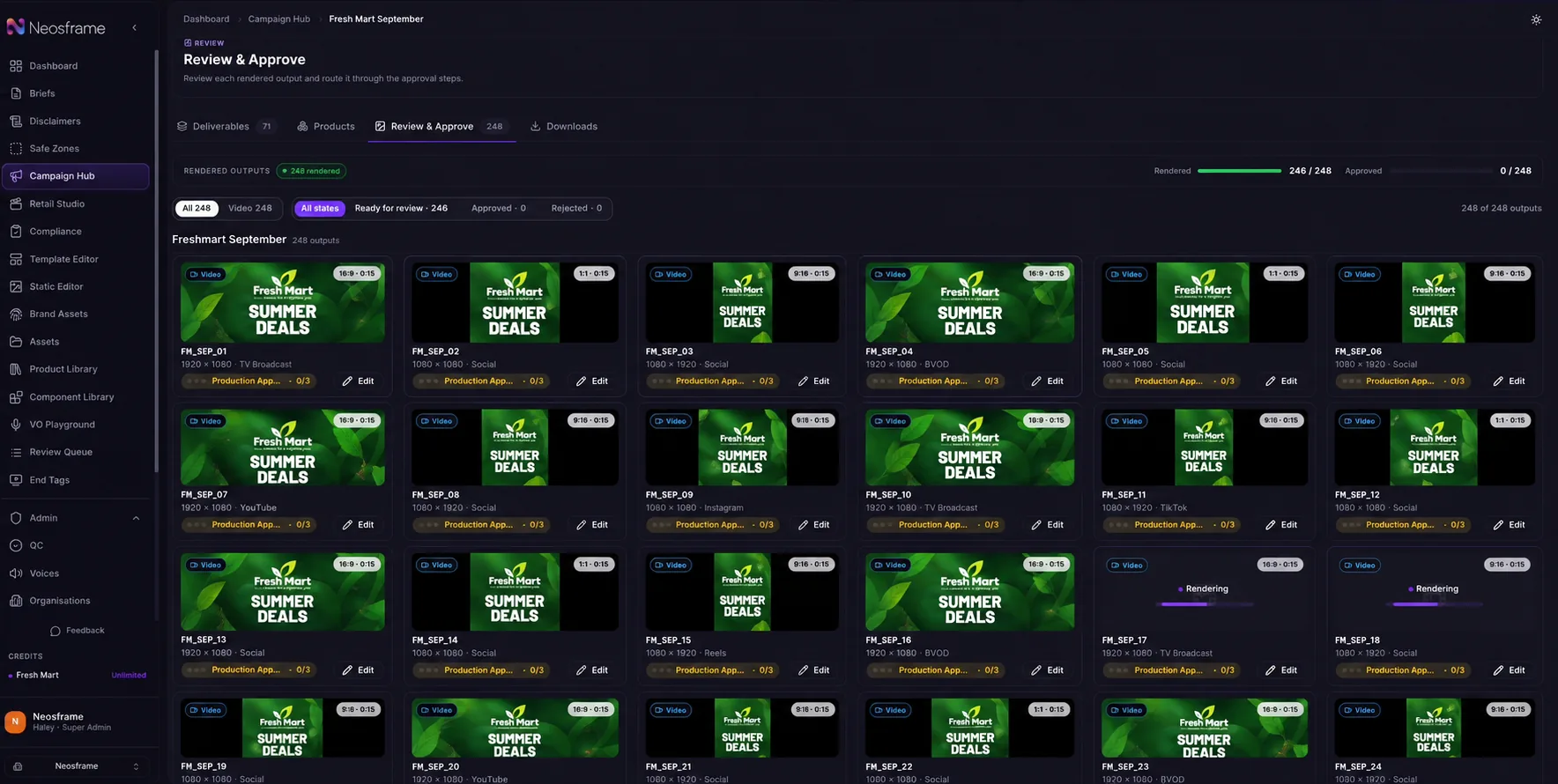
    Organize the campaign detail that changes, prepare the executions your brief calls for, then give reviewers a clear place to check the work.

    A grid of campaign video variations in the Neosframe platform

    A platform walkthrough

    Watch the production experience take shape.

    See the Neosframe production workflow in motion. This shared platform demonstration is not an industry-specific customer campaign.

    Neosframe platform demonstrationMaster creative, campaign versions and human review

    From master to market

    A production flow made for human review.

    Neosframe helps campaign teams carry approved creative into the versions they need without losing sight of the decisions that still belong with people.

    01

    Start with the master

    Bring the creative, campaign brief and source details that define the work.

    02

    Map what changes

    Set out the meal, daypart, location, format differences that each execution needs.

    03

    Prepare campaign versions

    Adapt the master creative to the versions and formats in scope for your campaign.

    04

    Review together

    Have the responsible people check each version before it is handed over.

    Good to know

    Questions, answered.

    Practical details for planning a campaign production workflow.

    Can breakfast and lunch offers use the same master creative?

    They can share a master design where the layout suits both offers. Brief the correct imagery, item names, prices and daypart conditions for each version, then review them separately.

    Does this connect directly to restaurant menus or point-of-sale systems?

    No connection should be assumed. Confirm any menu or point-of-sale integration with the Neosframe team before planning a workflow around it.

    Who checks nutrition statements and promotional conditions?

    Your designated brand, legal or specialist reviewers should check those claims and conditions. Neosframe's production and review workflow is not a nutrition check or a guarantee of advertising compliance.

    Your campaign, made easier to produce

    Bring the master. Talk through the versions.

    Share how your campaign team works today and explore whether Neosframe fits the production workflow you need.