Campaign production for franchise

    Franchise campaign production

    Create local franchise campaign versions from central master creative. Review location details and offers without losing brand consistency.

    Location variationsOffer differencesDetails versionsFormat ready to review

    A central idea, with room for every location.

    Create local franchise campaign versions from central master creative. Review location details and offers without losing brand consistency.

    Keep local details visible in the workflow
    Production focus 01

    Keep the national campaign recognisable locally

    Franchise marketing balances central brand direction with local trading needs. A location may need its own address, opening details, offer or call to action while using the network's campaign creative. Neosframe helps central marketing and production teams create those local versions from master designs.

    Production focus 02

    Separate brand decisions from local information

    Agree the master creative centrally, then brief which details should vary by location. Collect approved addresses, contact details, participation rules and offer wording before creating versions for each format. Use team review to check both the shared brand execution and the local information before assets are handed over.

    Production focus 03

    Review exceptions instead of assuming every store participates

    Local offers and launch dates may differ across a franchise network. Make those exceptions explicit in the brief and revisit affected versions when details change. Confirm the account setup and approval responsibilities with the Neosframe team; do not assume every franchisee has self-service access or authority to release a campaign.
    Inside the platform

    Shared direction. Local executions.

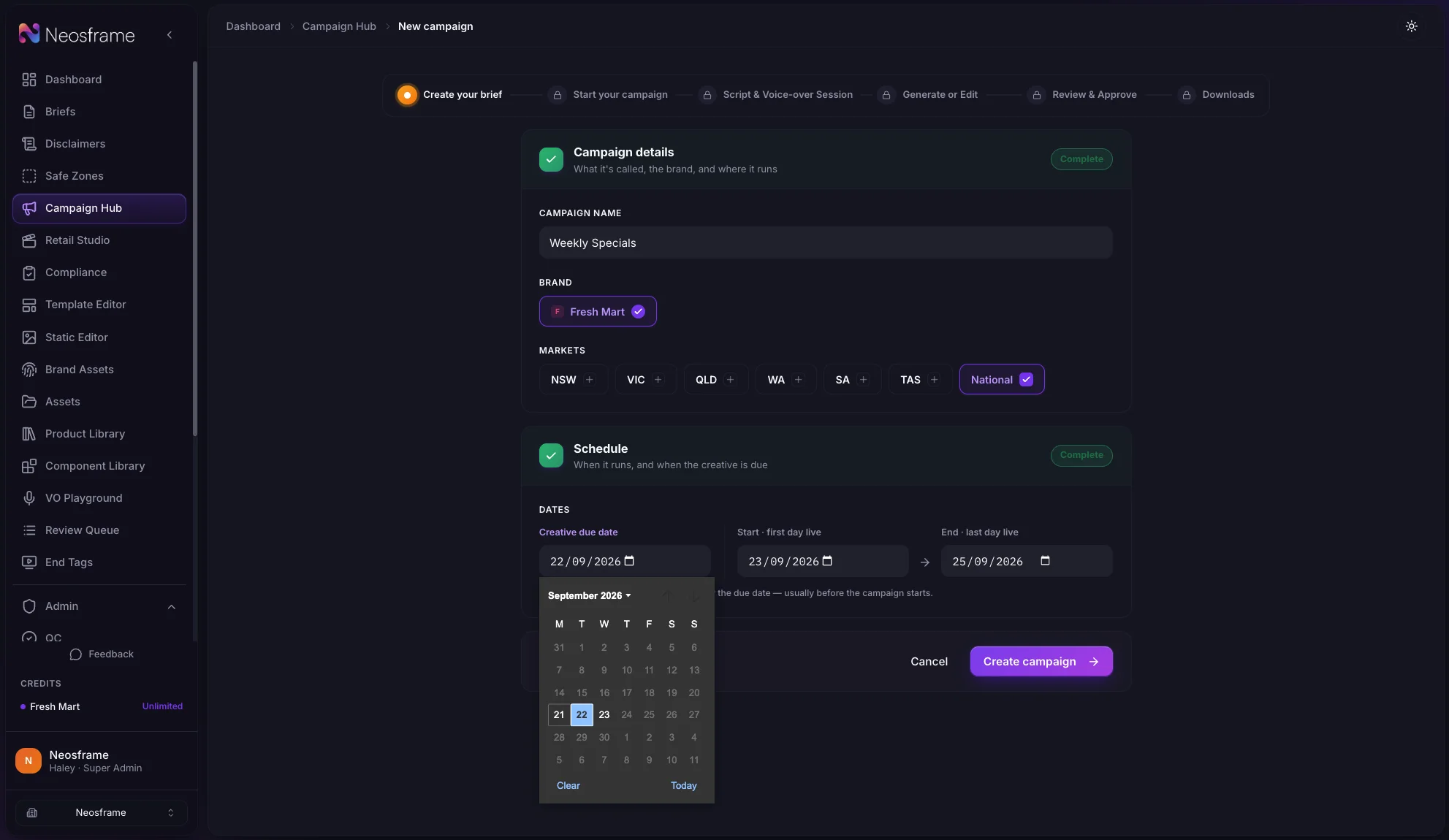
    A generic product view of Neosframe’s campaign workflow, where centrally agreed creative can be organized and reviewed across versions.

    Neosframe campaign brief screen for organizing creative and local production details
    Neosframe campaign workspaceProduct interface · campaign production and review

    A closer look

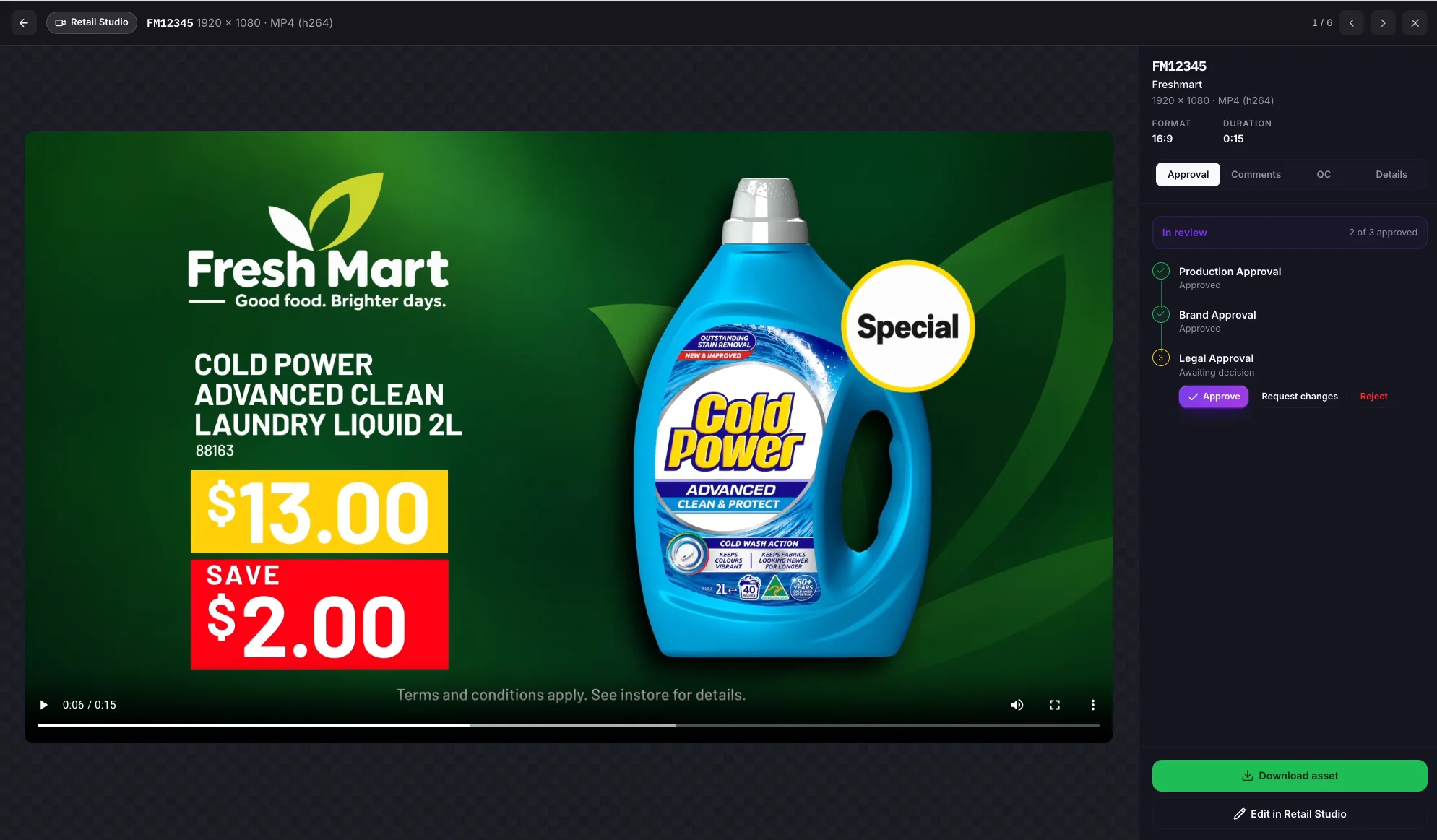
    See each version in context, with your team in the loop.

    Organize the campaign detail that changes, prepare the executions your brief calls for, then give reviewers a clear place to check the work.

    Neosframe review screen showing an asset with reviewer feedback

    A platform walkthrough

    Watch the production experience take shape.

    See the Neosframe production workflow in motion. This shared platform demonstration is not an industry-specific customer campaign.

    Neosframe platform demonstrationMaster creative, campaign versions and human review

    From master to market

    A production flow made for human review.

    Neosframe helps campaign teams carry approved creative into the versions they need without losing sight of the decisions that still belong with people.

    01

    Start with the master

    Bring the creative, campaign brief and source details that define the work.

    02

    Map what changes

    Set out the location, offer, details, format differences that each execution needs.

    03

    Prepare campaign versions

    Adapt the master creative to the versions and formats in scope for your campaign.

    04

    Review together

    Have the responsible people check each version before it is handed over.

    Good to know

    Questions, answered.

    Practical details for planning a campaign production workflow.

    Can local versions retain centrally agreed brand creative?

    Yes. Start from the central master creative and identify the location-specific details to change. Review the finished versions against both the brand brief and the local offer.

    Can every franchisee log in and publish their own ads?

    Do not assume franchisee self-service or publishing permissions. Discuss the users, access and approval process you need with the team before rollout.

    How should we handle a location that is not participating?

    Identify participation and exclusions before production. Create only the intended local versions and have the responsible team check location names and offer conditions before delivery.

    Your campaign, made easier to produce

    Bring the master. Talk through the versions.

    Share how your campaign team works today and explore whether Neosframe fits the production workflow you need.